





AI Summary
Key points of this article, generated by AI.
Generating AI Summary
You are interacting with an AI system. AI-generated responses may not always be accurate or complete. Please verify important information before relying on it.
This article provides steps that are needed to configure load balancer while setting up a clustered environment in a distributed network. However, this should not be considered a full and final configuration for a full-fledged production stable configuration. To make a production stable load balancing server, several configurations need to be done.
This is just an illustration of how the basic configuration can be carried out with limited resource availability.
Assumption
- Server 1: Exposed a web service or open for web requests.
- Server 2: Expose a web service that is open for web request and also hosts a apache load balancer
- Server 1 and 2 are running on a separate IPs
- HTTP Port on Server 1: 8091
- HTTP Port on Server 2: 8091
- Apache HTTPD server port: 8090 setup on Server 2
Prerequisites
- Server 1 setup for hosting SOAP service exposed on mule server with following
URI: http://<>:8091/hello?wsdl - Server 2 setup for hosting SOAP service exposed on mule server with following
URI:
http://<>:8091/hello?wsdl - Apache httpd server configured on Server 2
Sequence of operation
- Create and run web service on Server 1
- Create and run web service on Server 2
- Install and configure HTTPD Server as LB instance
- Configure httpd-proxy-balance.conf
- Configure httpd.conf
- Assert LB activity
Detailed Steps to setup LB
Create and run web service on Server 1(in this case it is on 10.0.1.43)
- Create a soap based mule web service as shown in the “Message Flow” diagram given below
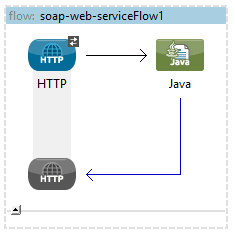
- Following is the XML Configuration fie (Watch out that the service is exposed over 10.0.1.43)
    <flow name="soap-web-serviceFlow1" doc:name="soap-web-serviceFlow1">
        <http:inbound-endpoint address="http://localhost:8091/hello"
            exchange-pattern="request-response" doc:name="HTTP">
            <cxf:jaxws-service serviceClass="org.example.HelloWorld" />
        </http:inbound-endpoint>
        <component class="org.example.HelloWorldImpl" doc:name="Java" />
    </flow>
- Run the service with following configuration
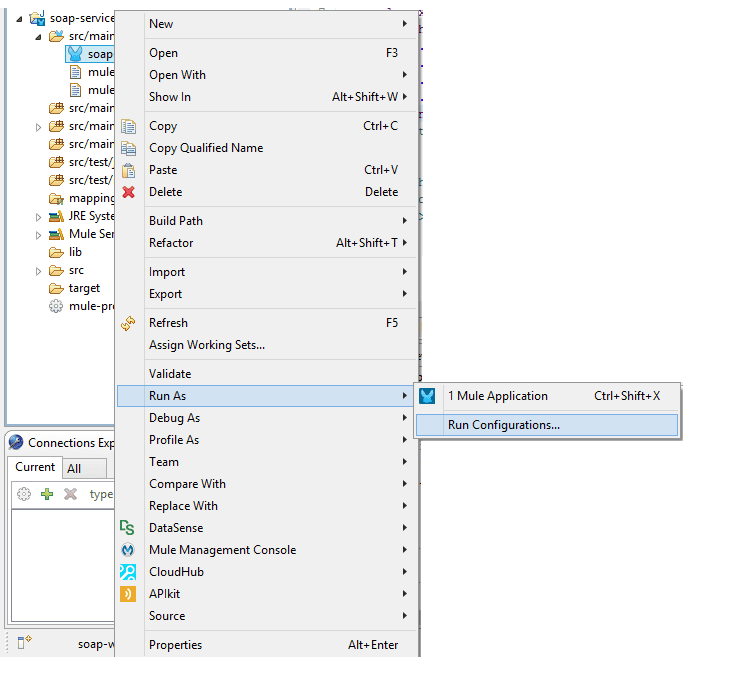
- Add following run time parameter at VM arguments -Dmule.tcp.bindlocalhosttoalllocalinterfaces=true, this should look like
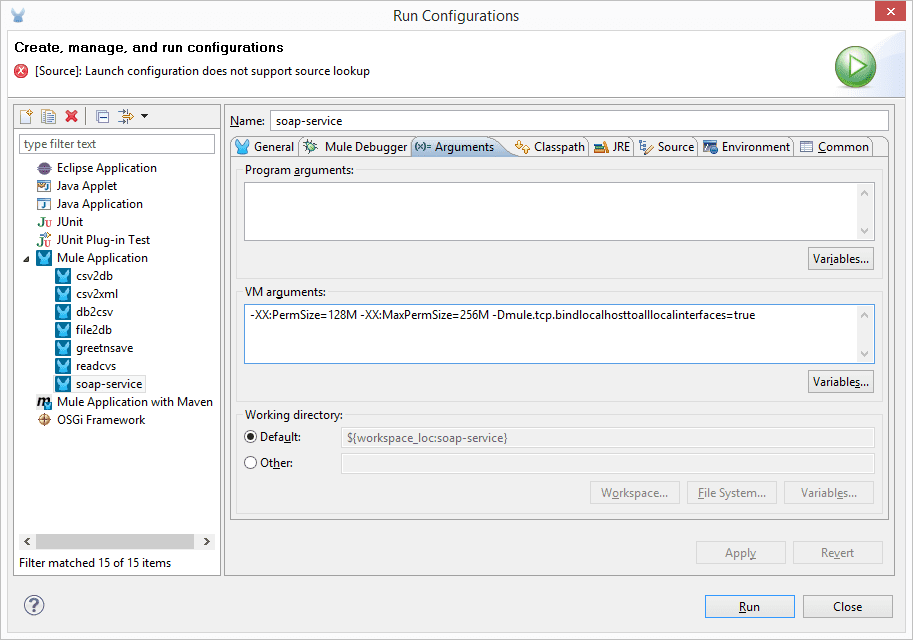
- With this, the service will be exposed http://10.0.1.43:8091/hello?wsdl
Create and run another web service on Server 2 (in this case it on 10.0.1.86)
- Repeat the same steps similar to the ones done on Server 1
- Finally the exposed web service should have a URI, http://10.0.1.86:8091/hello?wsdl
Now that we have 2 services running on 2 different servers, configuration of LB for these servers can be done.
Install and configure HTTPD Server as LB instance
- Download and install apache httpd server. (If already exists, then skip to next step). This can be downloaded from http://httpd.apache.org/download.cgi
- Configure httpd-proxy-balance.conf
- Required to keep this file under ‘conf/extra/’ folder
- httpd-proxy-balance.conf should look like
<IfModule mod_proxy_balancer.c>
ServerName www.mycompany.com
ProxyRequests off
<Location /balancer-manager>
Set Handler balancer-manager
Order deny,allow
Allow from all
</Location>
ProxyPass /balancer-manager !
ProxyPass / balancer://mycluster/ stickysession=SESSION_ID
<Proxy balancer://mycluster >
BalancerMember http://10.0.1.86:8091 loadfactor=4 route=node1
BalancerMember http://10.0.1.43:8091 loadfactor=6 route=node2
# Load Balancer Settings
# We will be configuring a simple Round
# Robin style load balancer. This means
# that all webheads take an equal share of
# of the load.
ProxySet lbmethod=byrequest
</Proxy>
</IfModule>
- Configure httpd.conf
- Make sure they are uncommented following modules
LoadModule lbmethod_byrequests_module modules/mod_lbmethod_byrequests.so
LoadModule log_config_module modules/mod_log_config.so
LoadModule proxy_balancer_module modules/mod_proxy_balancer.so
LoadModule proxy_http_module modules/mod_proxy_http.so
LoadModule slotmem_shm_module modules/mod_slotmem_shm.so
LoadModule proxy_module modules/mod_proxy.so
- Add this line
Include conf/extra/httpd-proxy-balancer.conf
- Save and restart, httpd
Assert LB activity
- Point at the browser, and access http://<>:8090/ In this case it is http://10.0.1.86:8090/hello?wsdl
- This will take us to the exposed web service on a round robin basis and shares equal load between 10.0.1.43 and 10.0.1.86
