



AI Summary
Key points of this article, generated by AI.
Generating AI Summary
You are interacting with an AI system. AI-generated responses may not always be accurate or complete. Please verify important information before relying on it.
This document outlines steps to setup an SMTP details in AEM along with how to register a new user (non-logged in) in AEM using AccountManagementService API.
To enable the account management service in AEM we have to follow the below Steps
Configure Day CQ Mail Service
1. One can use corporate SMTP details however for simplicity we are configuring Gmail account here and for password (we have to generate app password) Please refer the url to validate the 2-verification step and generate the password.
In case you face an issue see this blog - java - JavaMail Exception javax.mail.AuthenticationFailedException 534-5.7.9 Application-specific password required
Note: we need to use the steps below to create generate the app password.
- Go to your account settings (https://myaccount.google.com/) -->> Security -->> Under signing in to Google -->> App Password -->> Enter your credentials to login to your account -->> Select 'App' and 'Device' -->> Generate.
- Copy and paste the password somewhere.
- You can use this password instead of your account password.
Setup an AEM 6.5 SP-12 AEM instance and start the AEM service.
2. Go to system console Adobe Experience Manager Web Console - Configuration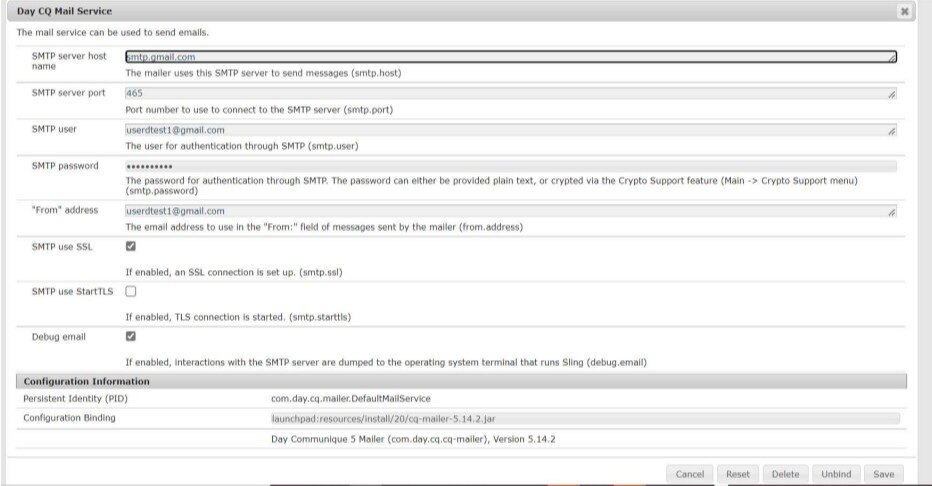
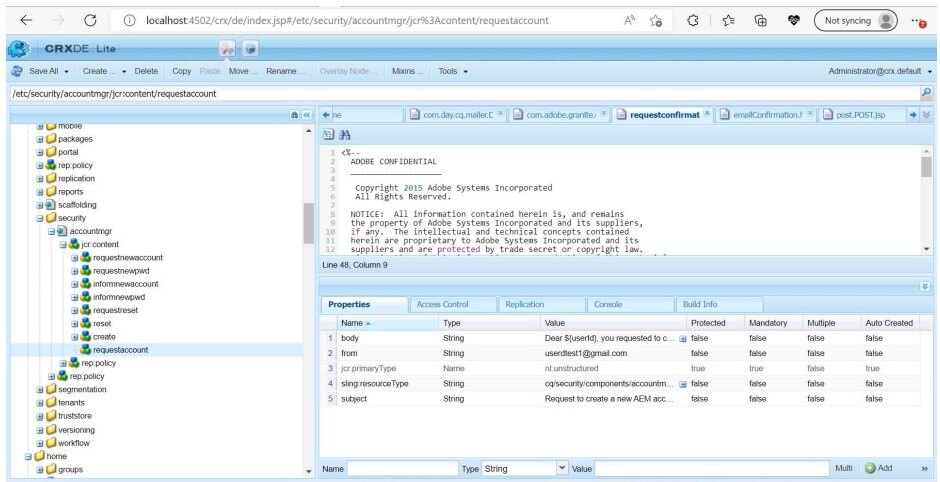
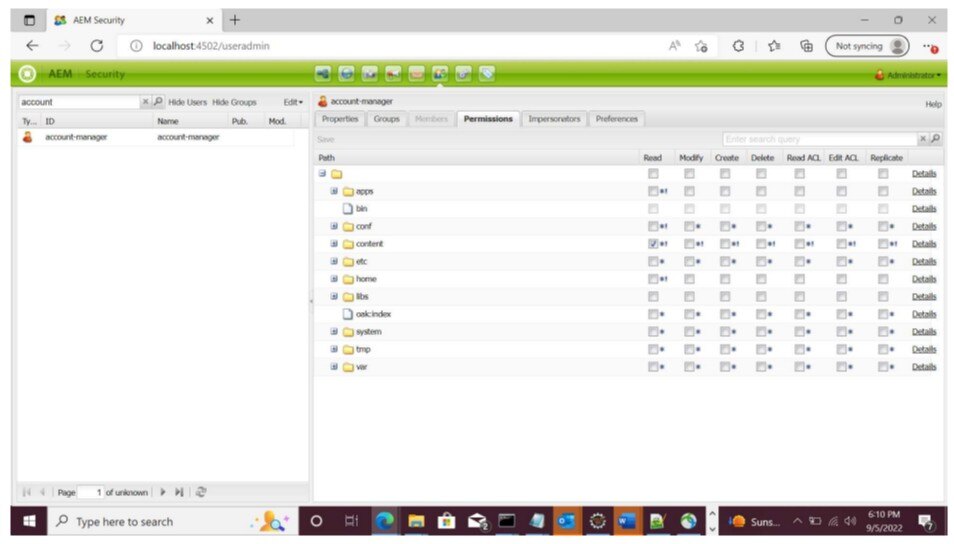
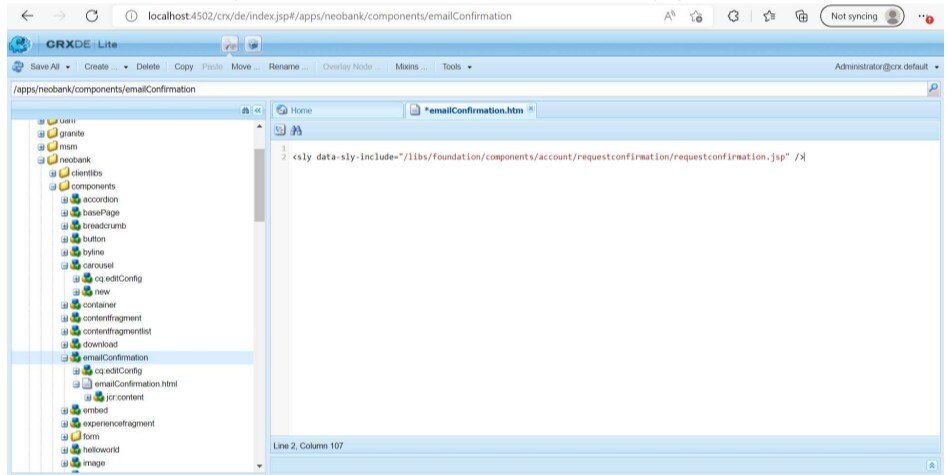
5. Create email Confirmation Component in /apps and insert the component in confirmation page, so that when user was registered the servlet will send the mail with this page url
Follow the below Steps:
User fills the Account Creation form (create an AEM sign up page) and submits it.
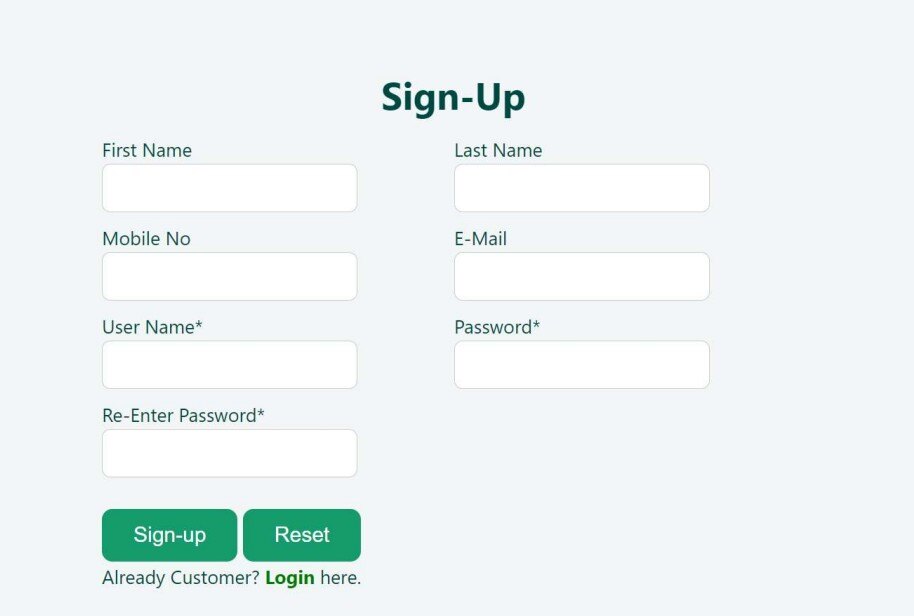
This Request received by the servlet and the servlet calls the requestAccount() method of AccountManagementService API.
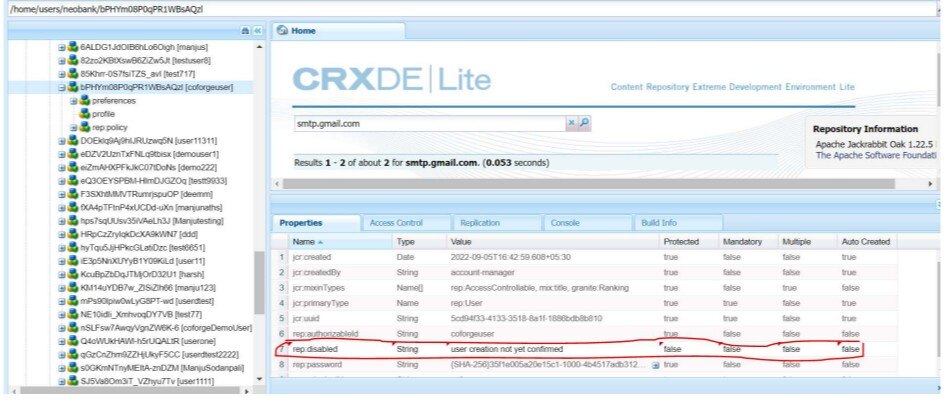
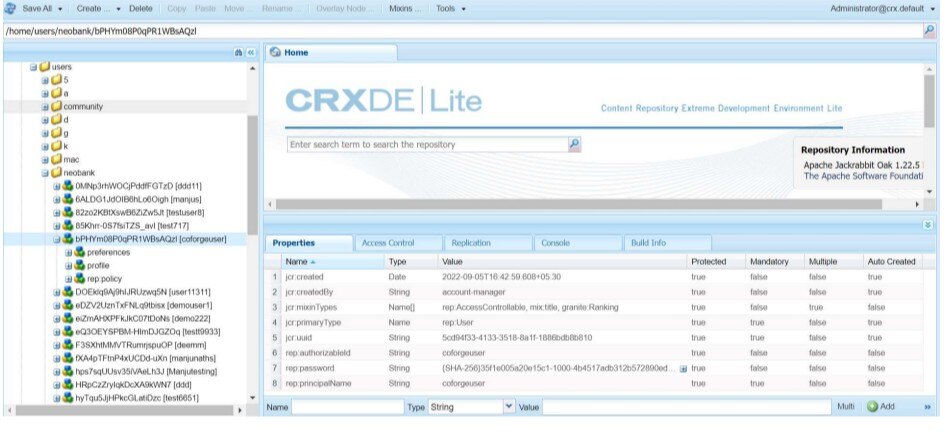
Highlighted property shows that the user is in disable state
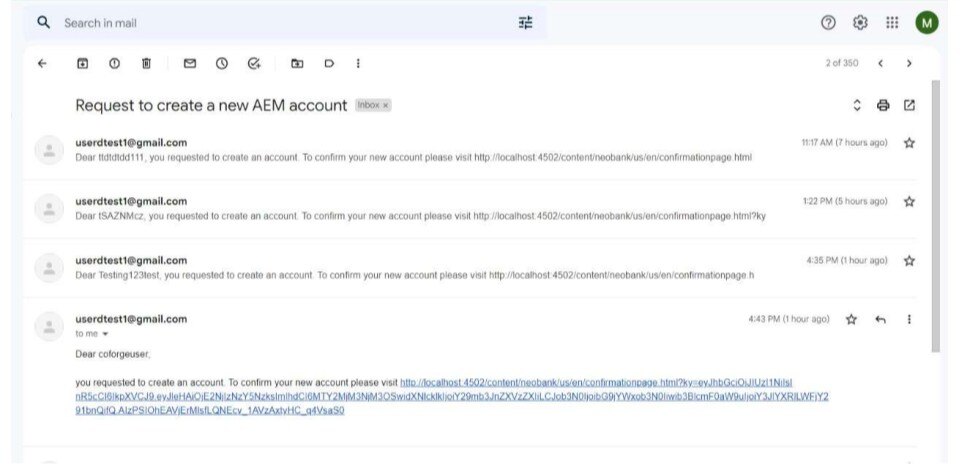
User gets the Account Verification Email
- The confirmation link page will be having a component named “emailConfirmation".The emailConfirmation.html contains.
- User will click on verification link to enable the account in AEM.
User become Enable After Verifying the link
- Confirmation mail will be sent to user after verification.
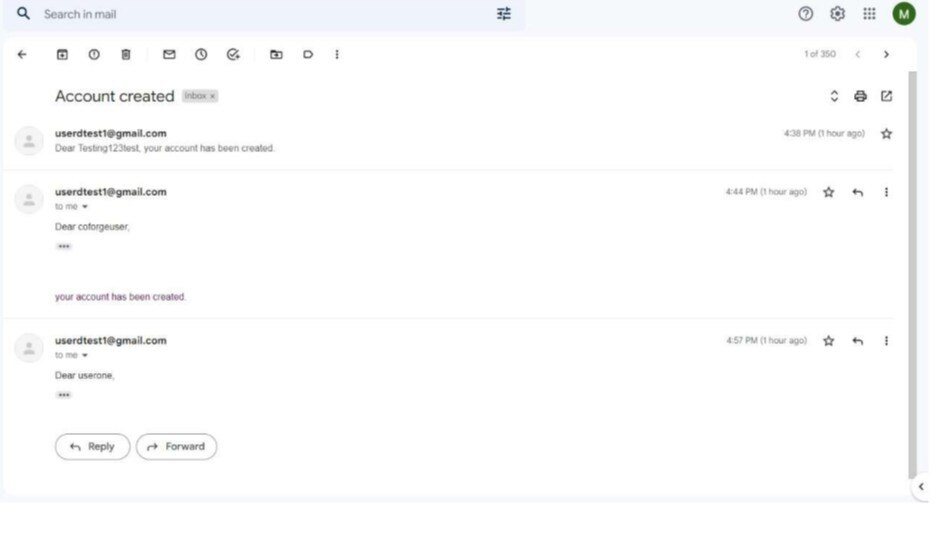
User gets email for Account Creation